
Extra Hands CPR Assistant
by iHarig LLC
Extra Hands CPR Assistant
Get the App
Free to download. Works fully offline. Available on iOS and Android.
What is Extra Hands?
A professional coaching tool for certified healthcare providers, emergency responders, and supervised learners. Real-time CPR guidance with spoken audio coaching, comprehensive event logging, and case review tools — designed to support resuscitation teams in the field and learners in the classroom. Built independently by iHarig.
Free Features
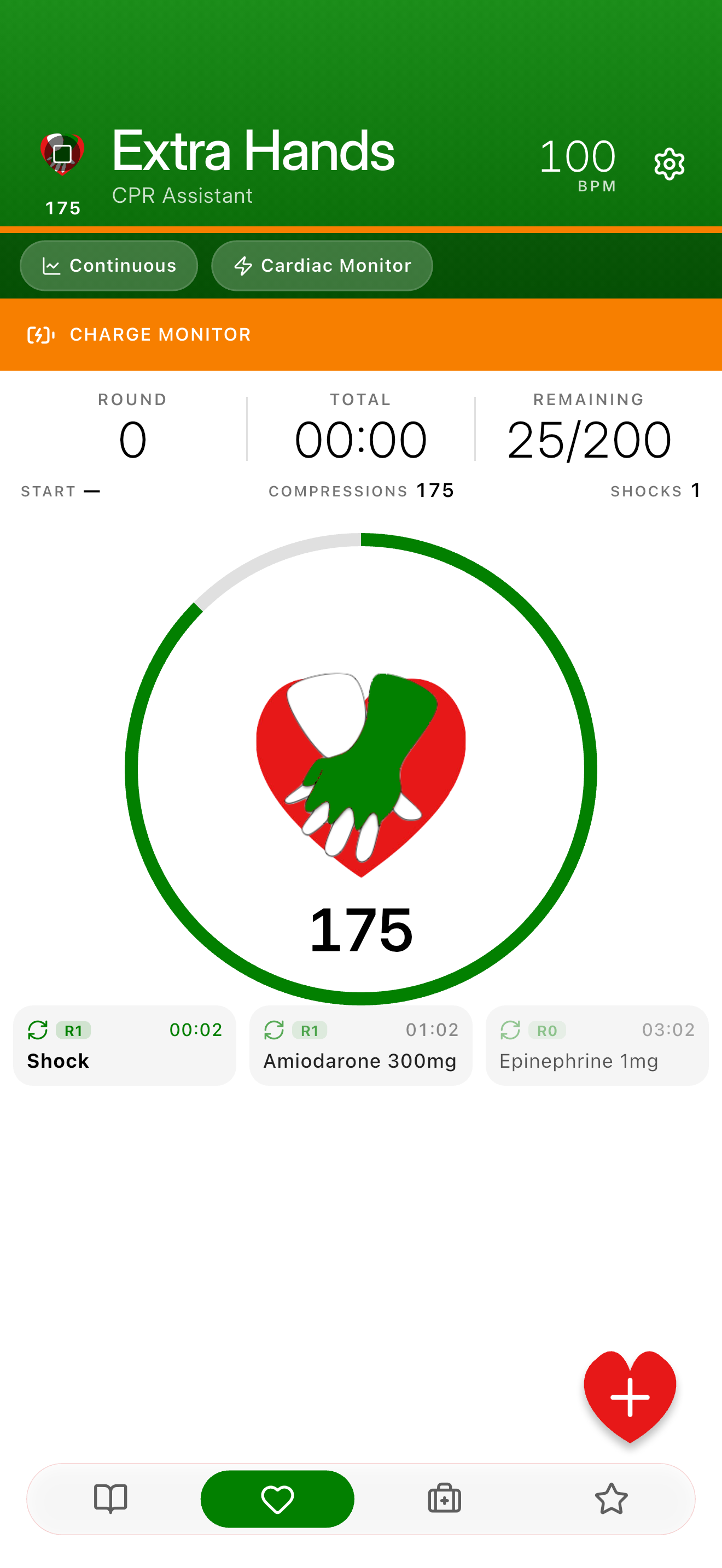
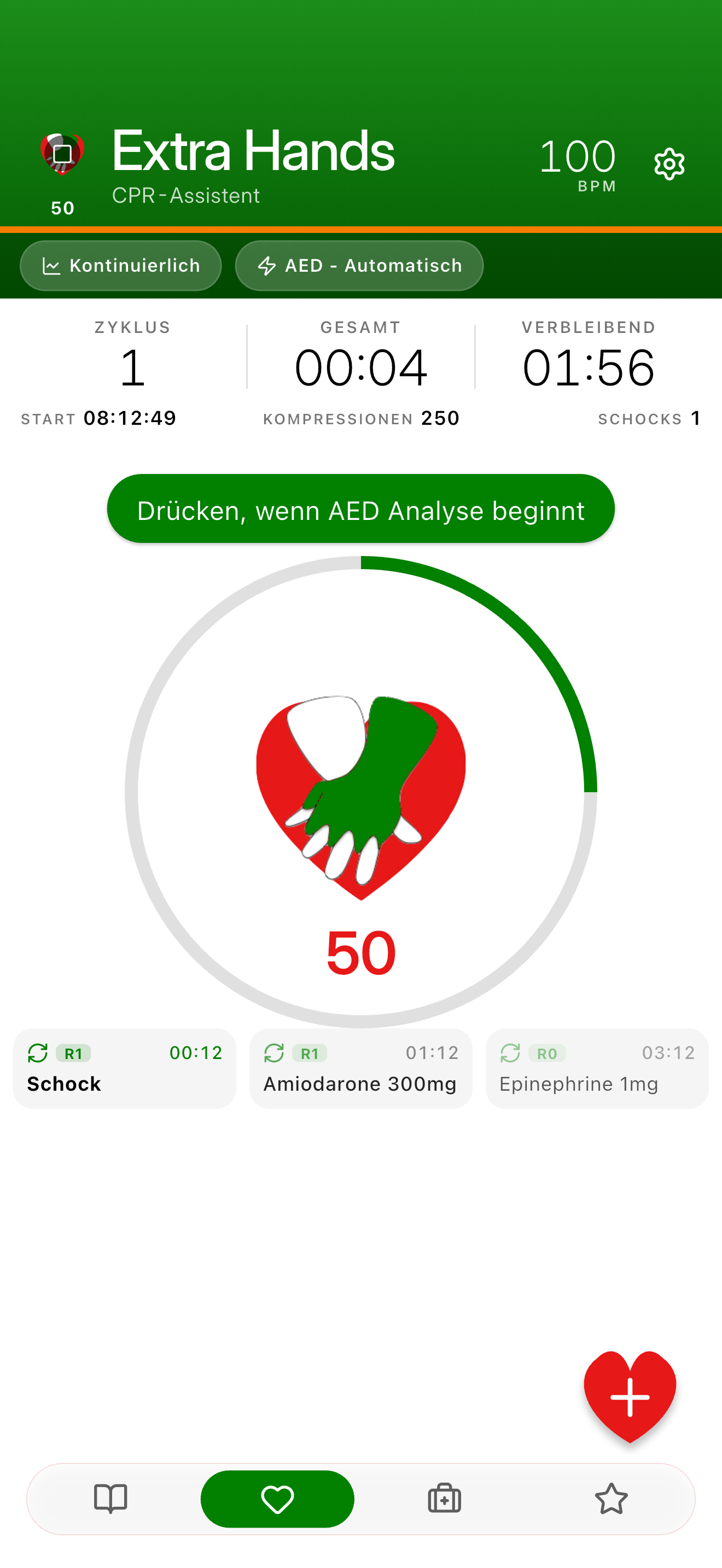
- Metronome Guidance: Adjustable BPM 100–120
- Multiple CPR Modes: 30-2 and continuous compression protocols
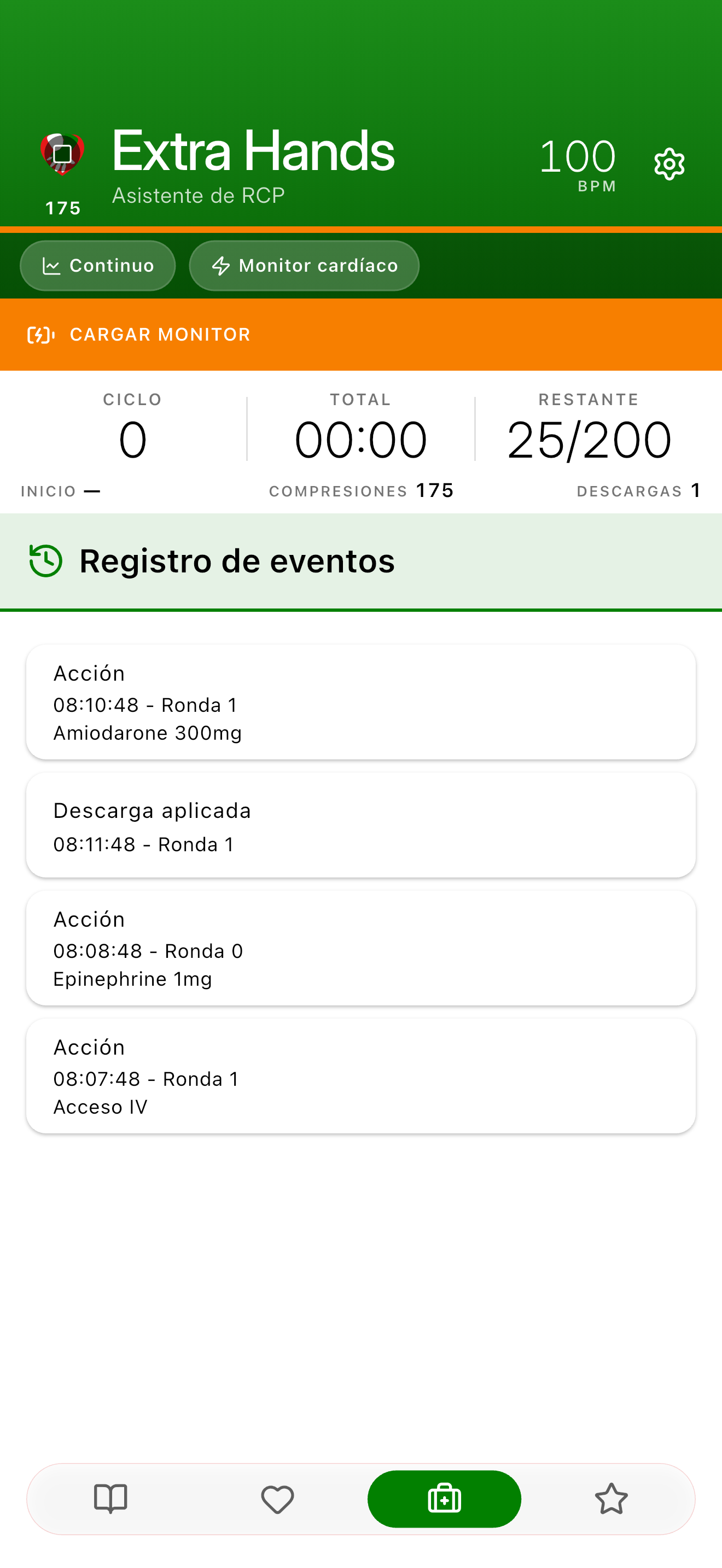
- Event Tracking: Log medications, shocks, ROSC, and other critical events as they happen
- Spoken Audio Coaching: Beat-matched timing in every supported language. Compression counts, breath cues, and key warnings spoken out loud.
- Visual Cues with Flashlight Sync: Optional flashlight pulse during breaths (toggleable)
- Device Support: Works with AED automatic, AED semi-automatic, and manual defibrillator modes
- Mechanical CPR Timer: Coordinated timing for mechanical CPR devices
- PDF Case Summaries: Standard reports for documentation
- Training vs Real Mode: Drills and simulations stay separated from real-case records
- Customizable Settings: Adapt to your local protocols
- Works Offline: Core CPR coaching runs with no internet connection. No accounts, no analytics, no usage tracking.
Available in 25 Languages
Full localization across the interface, spoken audio, drug names, action labels, and PDF summaries. Terminology is guided by each region's national resuscitation council so the terms match what your council teaches.
Translation note: the source terminology comes from each region's published guidelines, but the translations themselves are computer-generated drafts and are not a substitute for clinician review. Spot something off? Let us know at iharig.com/contact.
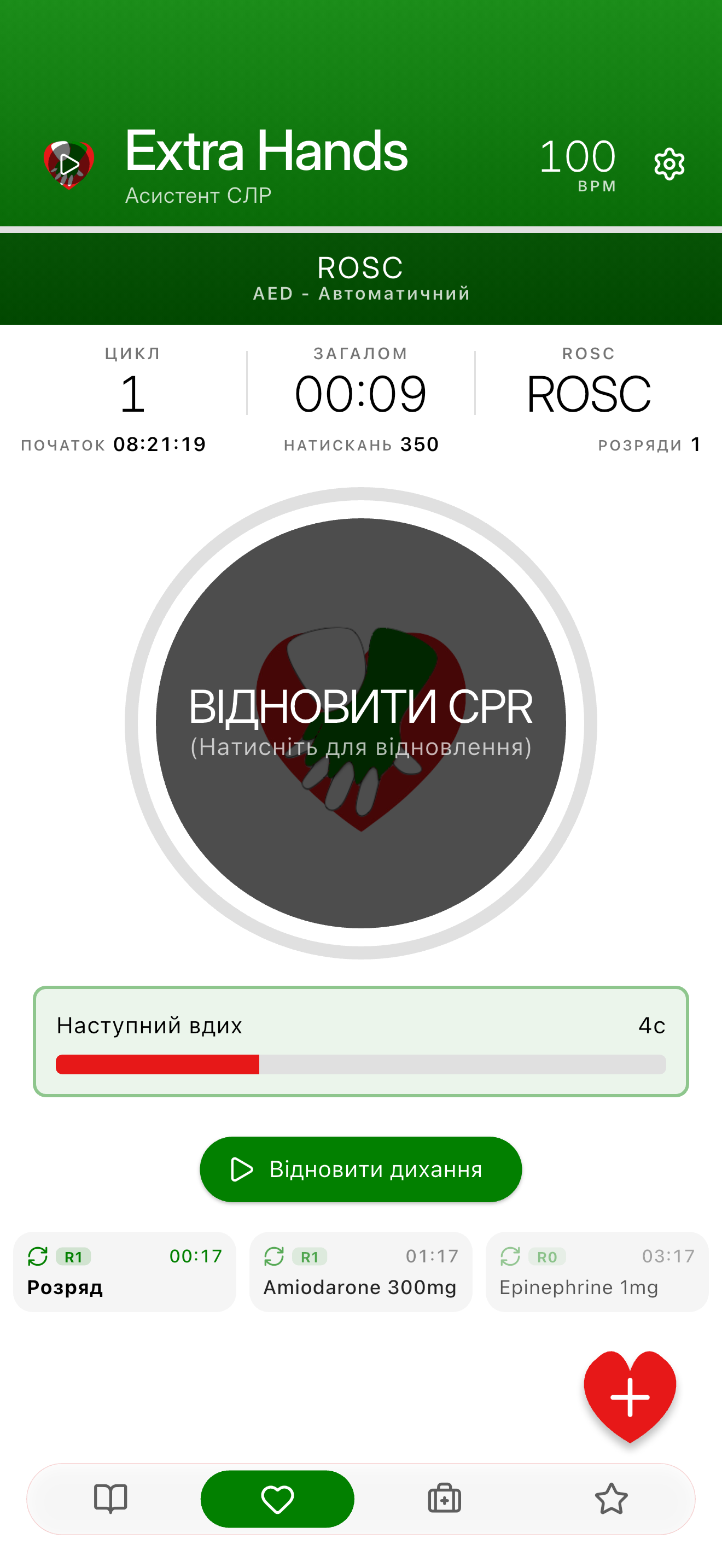
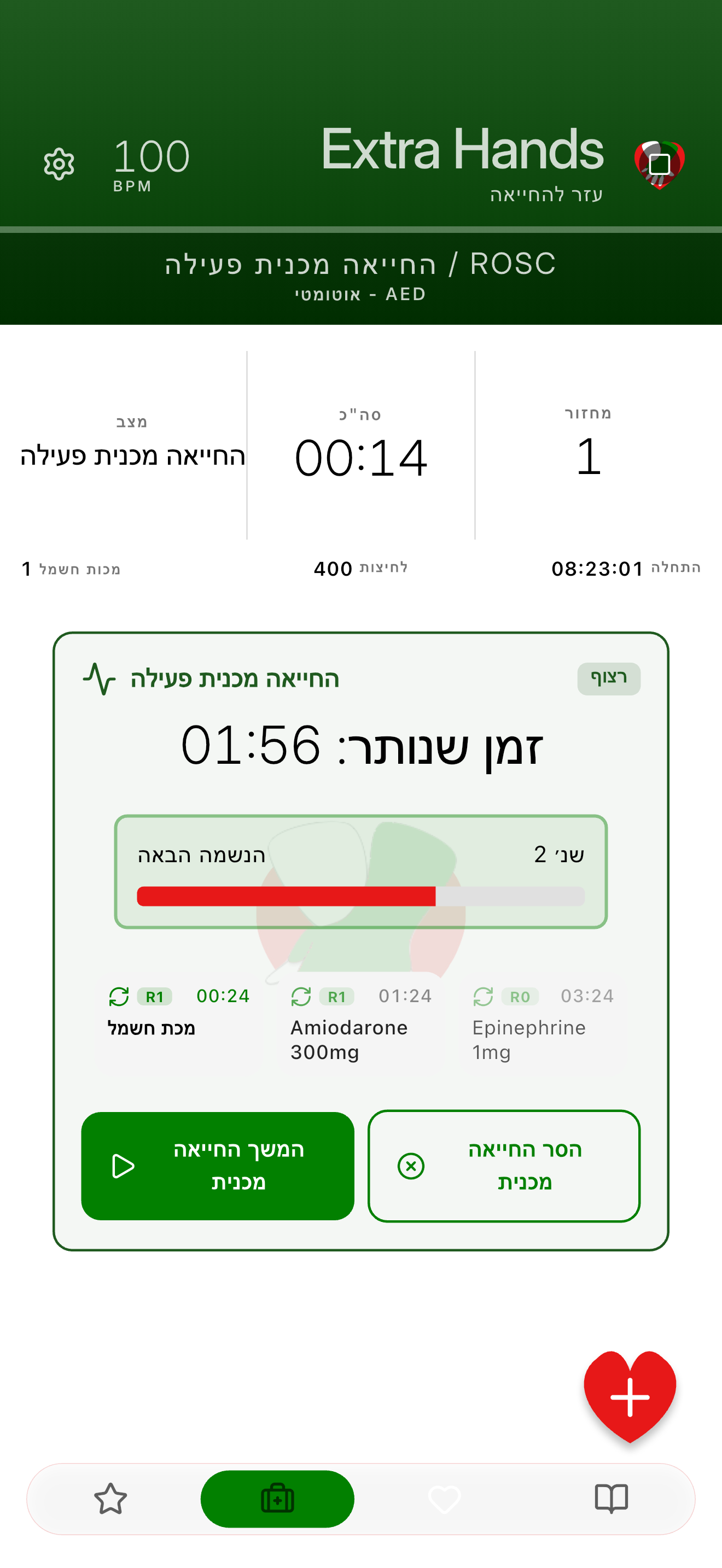
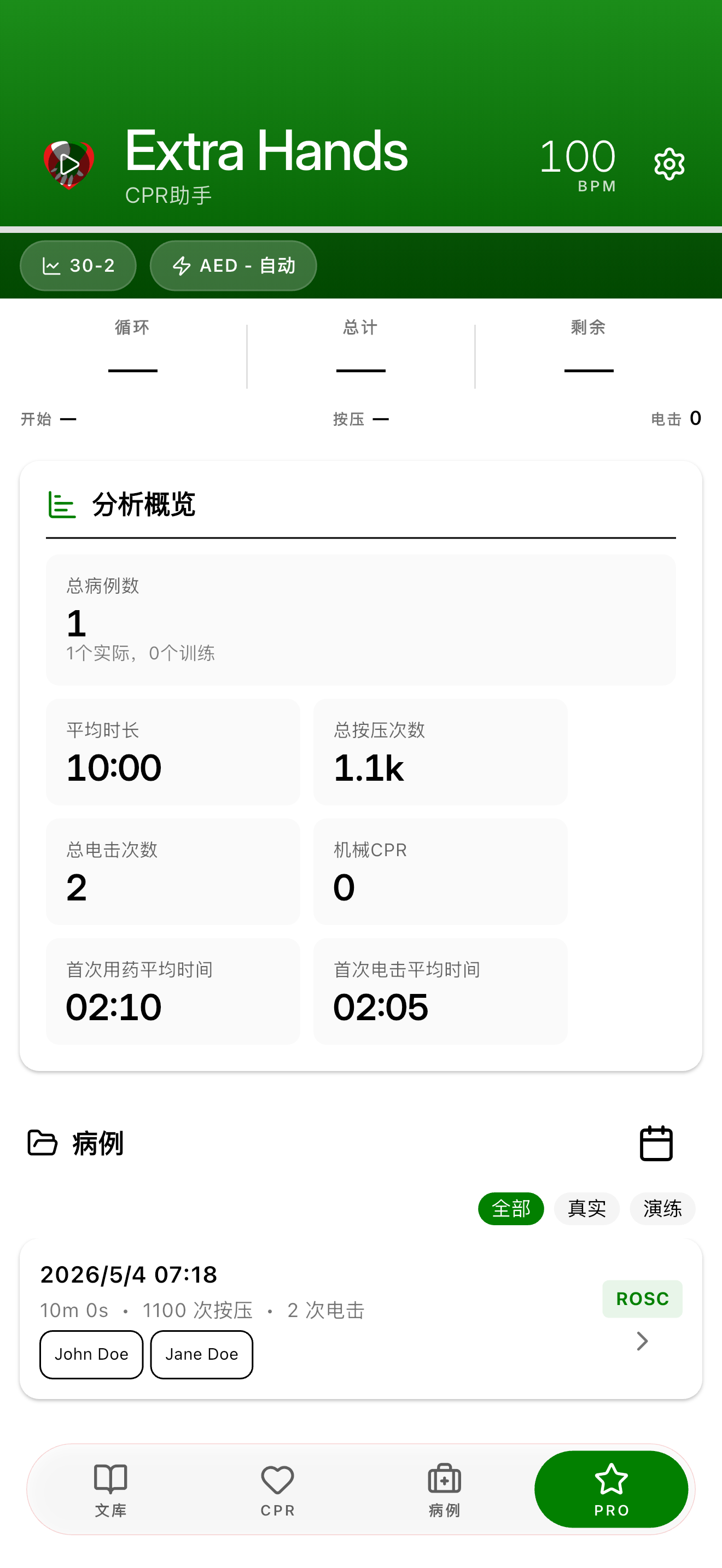
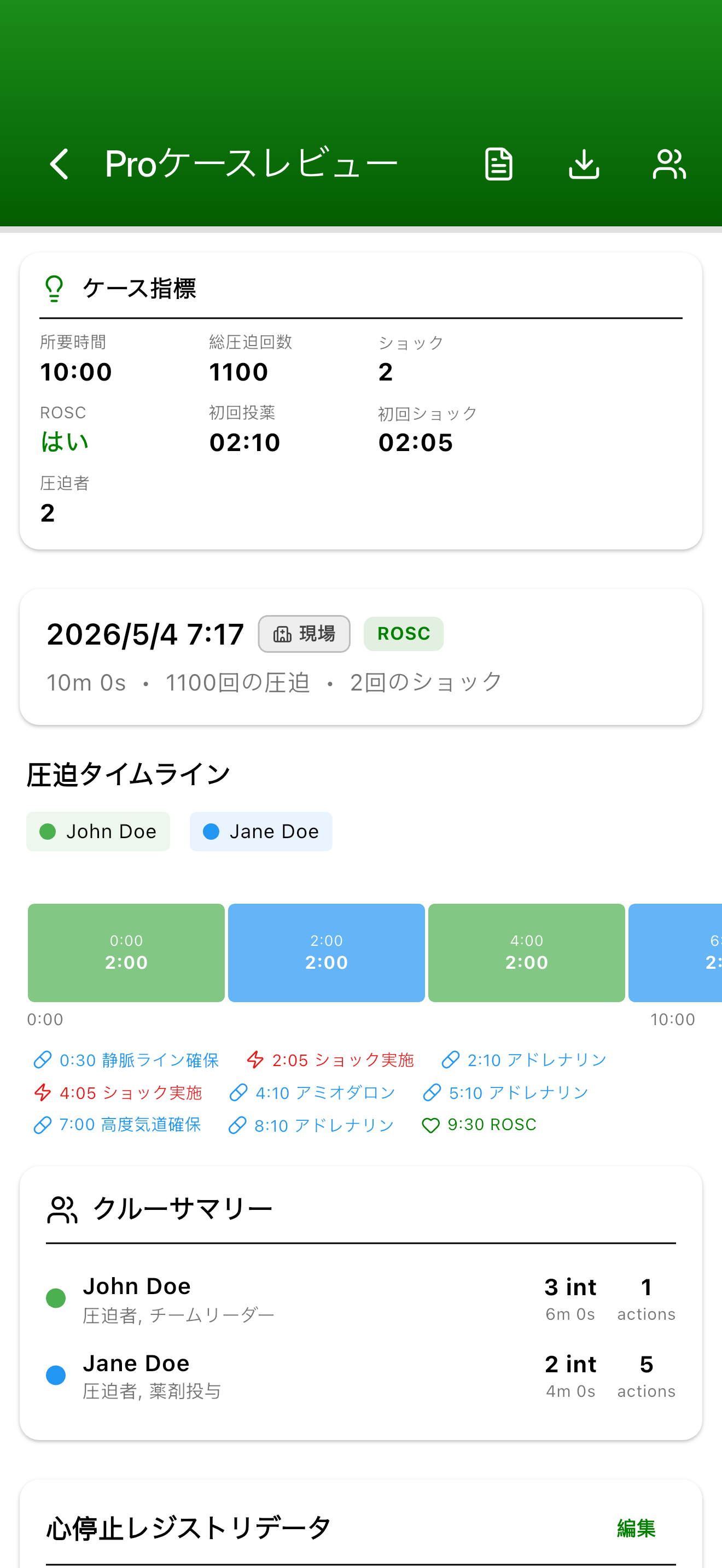
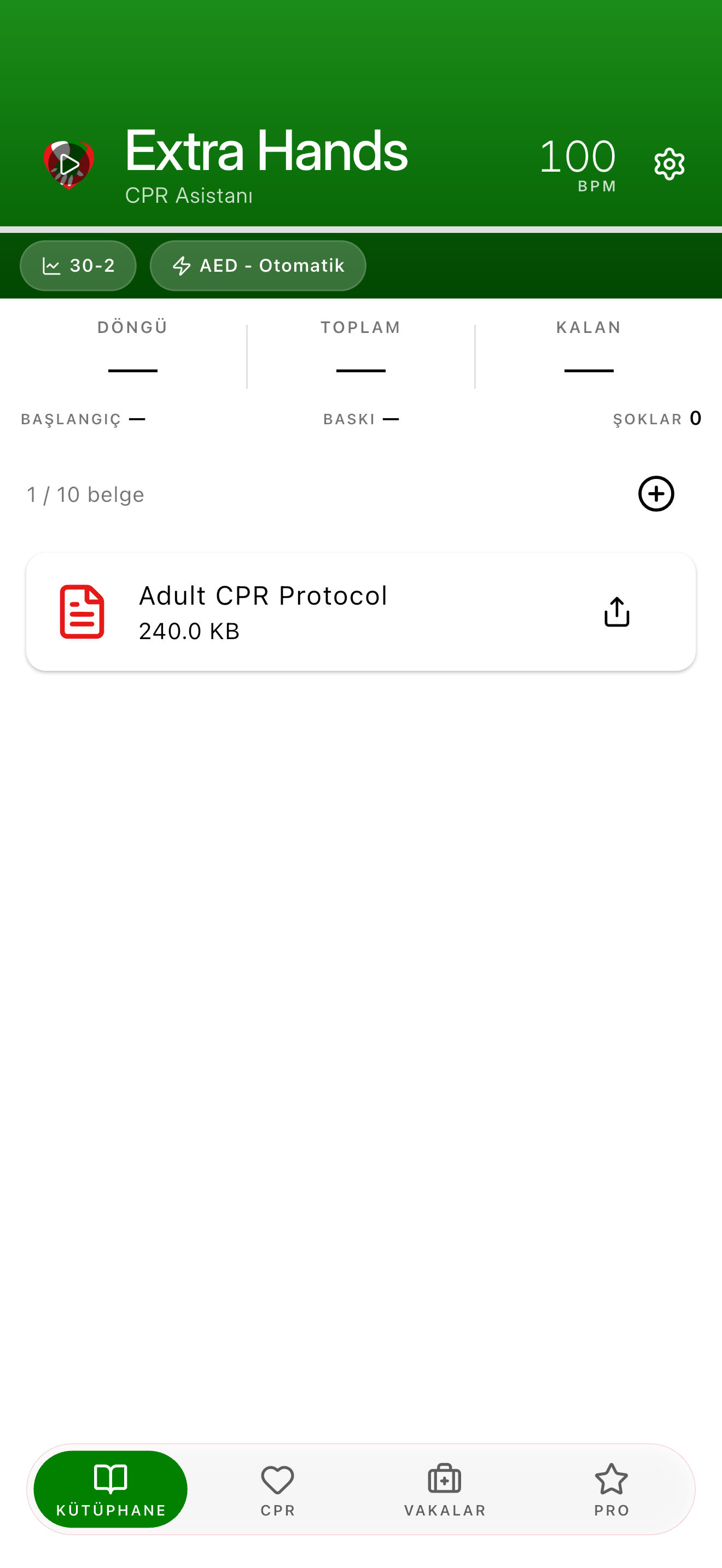
See the App in Action
Seven screens from a typical session, each shown in a different one of the twenty-five supported languages.
What's New
- Loading release notes…
Extra Hands Pro: included for free
Every Pro feature is included for free.
What's Included
- Advanced Case Review: Revisit any case with full crew attribution and detailed analytics
- Crew Assignment and Performance Tracking: Build a roster and track crew rotation, compression distribution, and per-responder workload across cases
- Crew Performance Breakdowns: Per-responder workload, switch frequency, compression share
- Multi-Department Support: One app, multiple agencies, cleanly separated
- CA Registry Data Capture: Cardiac Arrest Registry core data set built in
- Branded PDF Case Summaries: Multi-page reports with crew, timeline, registry data, and your agency's branding
- Department Branding: Agency name, logo, and colors throughout the app and every PDF
- Dark Mode with Custom Accent: Choose your color or match your department's
- Pro Library: Add up to 10 PDF references for quick access during CPR sessions
- Cross-Platform Sharing: Share crew rosters, agencies, cases, and library documents between Extra Hands users on any device
- CSV Export (user-initiated): Export your case log and crew roster to any spreadsheet or registry tool. Nothing leaves the app unless you choose to export it.
- Fully Localized in All 25 Languages: Pro screens, branded PDFs, registry fields, and dark-mode UI all use your council's terminology
- All Future Pro Features Included: Your subscription unlocks everything new
Share Crew, Agency, and Case Data Between Devices
Extra Hands moves roster data, agency configurations, and case history directly between devices using any file-sharing method you already use (AirDrop, email, a USB drive, your preferred messaging app). Nothing passes through our servers or a third-party sync service. You don't need an account.
What you can share
- A single crew member with their stats. Useful when a provider moves to a new agency.
- A whole agency. The department profile, its crew roster, everyone's stats, and case history so the receiving device can run analytics right away instead of waiting to accumulate sessions.
- A single case as a CSV for QI review or as a PDF case summary.
How duplicates are handled
Each crew member gets a local identifier generated from their name, crew ID, and date of birth. That identifier is what travels in the shared file; the date of birth itself never leaves the device that created the record. On import, matching identifiers merge cleanly. The same person doesn't get duplicated across devices. Two different people who happen to share a name don't get silently merged either.
Cases carry their own case ID, so duplicate imports are detected and skipped. An import preview shows exactly what will change before anything is written.
For CSV imports that reference crew members the receiving device doesn't know yet, a match-or-create dialog surfaces each unmatched name. You decide per name whether to match an existing member, create a new one, or skip. Nothing is auto-created.
Why this matters
Your roster and case history stay current across shifts and departments without a cloud account. Dates of birth and raw case event data never leave your device through our servers. We don't run a sync service and have no copy of your data.
Backup and Data Safety
Everything is stored on your device and included in your regular phone backups (iCloud on iOS, Google Auto Backup on Android). Restoring a backup to a new device brings it all back.
For the most complete backup, use the agency export feature. An agency export bundles your crew roster, stats, case history, branding, and library documents into a single file you can send to yourself or another device. This is also how you move between platforms (iOS to Android or the reverse) since phone backups don't cross over.
We have no copy of your data. There is no cloud sync and no account. If you lose your device without a backup, we cannot recover anything.
Important Disclaimers
Educational tool only. Extra Hands is NOT a medical device and is not FDA-cleared. It does not replace your training or professional judgment.
Professional use only. Designed for certified healthcare providers and professional emergency responders. Medical students and trainees may use it under supervision.
Independent development. Built independently by iHarig. Not affiliated with, endorsed by, or sponsored by any medical organization or resuscitation council. See the Terms of Service for the full disclaimer.
Use it as a supplement. Adjust settings to match your local protocols. Consult your medical director before clinical use. Keep your certification current.
About the Developer
Extra Hands is built and maintained by iHarig, an independent developer.
Feedback & Support
Bug reports, feature requests, or translation corrections in any language: iharig.com/contact. You can also leave a review on the App Store or Google Play.
Acknowledgments
Thanks to the emergency medical professionals worldwide who do this work, and to the resuscitation councils whose published guidelines inform every language this app speaks.